












Skeletal Mesh Merger V1.3
Easily merge multiple Skeletal Meshes in to a single one and save it as a separate asset.
1.3 12/2024 Update:
Enhanced the user interface for better usability
Resolved an issue where generating a mesh could cause a crash due to naming conflicts with existing assets.
Fixed a bug where material slots in the generated mesh were not displayed correctly in some cases.
1.2 Update 9/2023:
Added QuickLaunch Button
1.1 Update :
Fixed a crash when merging meshes with overlapping UV
Added runtime Merge Wrapper
Super quick workflow, select multiple skeletal meshes from the content browser or directly from an actor in the scene, choose the final path and merge them in to a single asset directly in Unreal.
Reducing the number of skeletal meshes in your game will also improve the framerate of your scene without any sacrifice in terms of quality.
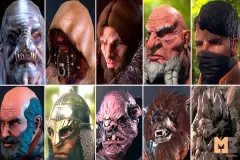
Assemble your modular characters and merge them with a single click.
EASY TO USE: Just open the Global Merge Editor widget, select your assets, choose the name of the newly created assets
and that's it!
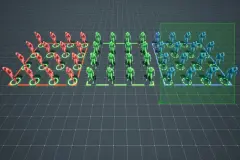
Easily achieve a lot of animated characters on screen with the best performance possible!
Technical Details
Features:
- Merge multiple skeletal meshes in to a single one
- Pick all the skeletal meshes from an actor in the scene
- Incredibly easy to use
- Merge skeletons
Code Modules:
- SkeletalMeshMerger (Editor)
- Runtime Merger (Runtime)
Number of Blueprints: 3
Number of C++ Classes: 5
Network Replicated: No, not needed
Supported Development Platforms: Windows, Mac
Supported Target Build Platforms: Windows, Mac, Linux, Android, IOS, PS5, PS4, XBOX ONE, VR
Documentation: https://www.wikiful.com/@ACF/ascent-combat-framework-wiki/skeletal-mesh-merger-new