


PWAS V2 - Procedural Weapon Animation System
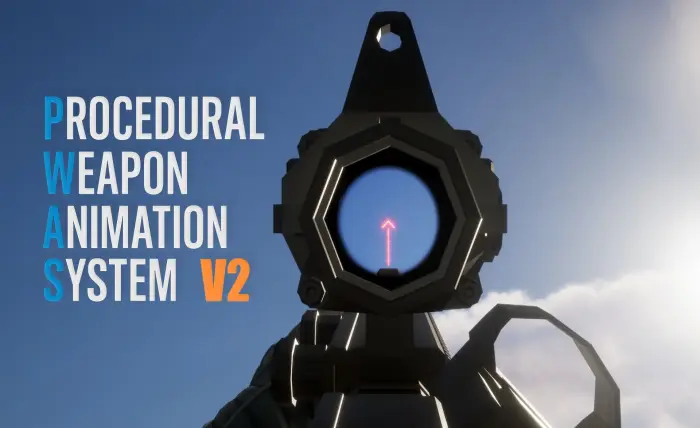
Procedural Weapon Animation System (PWAS V2) is a complete Blueprint-based procedural weapon animation framework for Unreal Engine.
PWAS generates and layers weapon movement such as recoil, sway, aiming, movement cycles, breathing, running, crouching, jumping, collision, camera kick, pose adjustments, and more in real time.
V2 greatly expands the original system with procedural sight alignment, multiple sights, iron sights, modular weapon parts and attachments, full-body / third-person support, multiplayer examples, an improved procedural editor, and extensive customization.
PWAS is designed to integrate into your existing FPS framework. It handles the procedural animation and weapon presentation, while systems such as firing, inventory, ammunition, damage, and weapon management can remain part of your own gameplay framework.
Procedural Aiming
PWAS V2 includes a new socket-based procedural aiming system supporting:
Optics
Iron sights
Multiple selectable sights
Canted sights
Attachment-mounted sights
Individual sight FOV settings
Per-weapon attachment aim distance adjustment
Smooth procedural aim transitions
Reloading while aiming
Sight setups are automatically discovered from configured sockets, allowing the same weapon to support several different aiming options.
Procedural Animation
PWAS includes highly customizable procedural systems for:
Weapon recoil
Camera recoil
Look sway
Movement sway
Walking
Running
Crouching
Crouch movement
Sliding
Jump / landing
Breathing
Hold breath
Weapon collision
Equip / holster
Freelook
Aim transitions
Weapon pose adjustment
Left-hand IK
Elbow positioning
Camera and weapon offsets
All major weapon behavior is controlled through reusable Weapon Presets.
Live Procedural Editor
PWAS V2 includes a live procedural editor with 300+ customizable values.
Use the editor to:
Modify procedural settings
Preview changes immediately
Test firing, aiming and movement
Load Weapon Presets
Save customized Weapon Presets
Quickly create different behavior for individual weapon types
The editor is intended for authoring and testing presets and is not required at runtime.
Full Body & Third Person
V2 includes a full-body / third-person setup demonstrating how procedural first-person weapons can be combined with a third-person representation.
Features demonstrated include:
Third-person weapon handling
Procedural character pitch
Left-hand IK
Reload support
Running and crouching
Freelook
Weapon switching
First-person and third-person weapon representations
A multiplayer example is also included to demonstrate replicated weapon setups and third-person representation for other players.
Weapon Parts & Attachments
PWAS V2 includes an optional modular weapon example system supporting:
Weapon Parts
Attachments
Attachment stat modifiers
Attachment parenting
Attachments mounted to other Attachments
Modular barrels, handguards, magazines, optics and more
Left-hand IK from Attachments
Attachment-based sight discovery
Canted sight setups
Muzzle collision overrides
Magazine capacity overrides
Attachment-specific ADS FOV
Stat-only Attachments
The included Weapon Parts and Attachment systems are optional examples and are not required to use the core PWAS procedural animation system.
You can integrate PWAS with your own inventory, weapon customization, or attachment framework.
Magnified Optic Example
V2 includes an optional magnified-optic example featuring:
Scope proximity / eye-relief behavior
Dynamic optic clipping
Magnified scope materials
Custom reticles
Support for optics such as scopes and compact magnified sights
This system is included as demo functionality and is not required for procedural aiming.
Included Demo Weapons
PWAS V2 includes configured examples for several weapon types, including:
Rifles
Pistols
SMGs
Shotguns
LMGs
Sniper Rifles
The included examples contain Weapon Presets, animation poses, and weapon-specific configurations that can be used as references when setting up your own weapons.
Blueprint Based
PWAS V2 is built using Blueprints and does not require C++ for normal setup or customization.
The core system is centered around a reusable Procedural Weapon Animation Component and Weapon Presets, making it possible to integrate PWAS into an existing character and weapon framework without replacing your existing gameplay logic.
Quick Start
A basic PWAS integration consists of:
Add the Procedural Weapon Animation Component to your player character.
Configure the included Animation Blueprint setup.
Initialize PWAS with your Character and Camera.
Assign a Weapon Preset.
Update PWAS with the currently equipped Weapon.
Add the required weapon / character sockets and tags.
Call the relevant PWAS functions from your existing gameplay logic for firing, aiming, running, crouching, etc.
For complete setup instructions, see the PWAS V2 Documentation linked above.
Perfect For
First-person shooters
Tactical FPS games
Extraction shooters
Horror shooters
Multiplayer shooters
Realistic weapon systems
Sci-fi / fantasy weapon systems
Prototypes
Custom FPS frameworks
Rapid weapon iteration
Notes
PWAS focuses on procedural weapon animation and is designed to integrate with existing gameplay frameworks.
The included firing, weapon, attachment, multiplayer, and other gameplay systems are primarily examples demonstrating PWAS integration.
The Procedural Editor is an authoring tool and is not required in packaged gameplay.
Always back up your project before updating an existing PWAS installation.
A low Near Clip Plane may be useful for first-person weapons positioned very close to the Camera. The included demo uses settings appropriate for its first-person setup.
Full setup, integration, sight, attachment, animation, and troubleshooting information is available in the V2 Documentation.
Additional information
Blueprints: 61
C++ Classes: 0
Network Replicated: Yes
Supported Development Platform: Windows
Input: Keyboard & Mouse
Skeleton: UE5 Manny / Epic Skeleton compatible
Static Meshes: 176
Skeletal Meshes: 10
Materials: 48
Material Instances: 77
Textures: 93
Animations: 209
Included Content:
Procedural Weapon Animation Component
Live Procedural Editor
Weapon Presets
Example first-person and full-body/third-person setups
Multiplayer example
Modular Weapon Parts and Attachment examples
Demo weapons covering rifles, pistols, SMGs, shotguns, LMGs and sniper rifles
Additional Notes:
Blueprint-only; no C++ required.
Character examples use the UE5 Manny skeleton.
Weapon Parts, Attachments, firing and multiplayer gameplay logic are included as example implementations and are not required by the core PWAS system.
Important/Additional Notes:
The live preset editor is an editor-only tool used for authoring and tuning presets.
It is not included in packaged builds.Always back up your project before updating the plugin in case new logic affects existing presets.
Decrease Near Clip Plane inside Project Settings. 0.01 is a good value, this is to prevent weapon clipping when the models are close to the camera.