.webp)

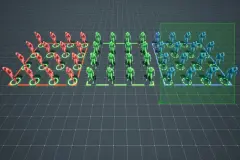




Skeleton and Animation Swapper UE4 to UE5 / UEFN + Swap & Retarget animations
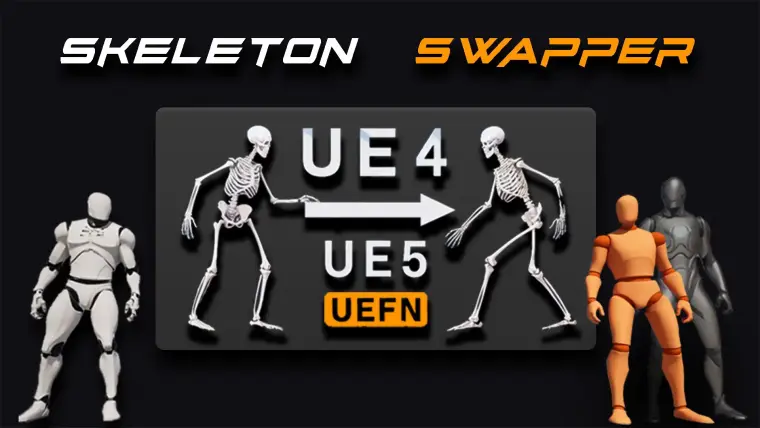
Skeleton Swapper is the fastest and easiest way to swap your UE4 project to UE5 or UEFN!
IMPORTANT: The Sk.Swapper's main purpose is to convert UE4 skeletal meshes and their animations into UE5 or UEFN sk.meshes and animations without the need of retargeting nor rerigging and reskinning. (this is most useful to those who wants to bring their big UE4 project to the new UE5 or UEFN format. Let's you use GASP without the live retargeter (you will just replace the mesh) but PLEASE WATCH THIS latest VIDEO TUTORIAL BEFORE BUYING this plugin!!! ( low rating is the result that people are rushing through and not paying attention!!!)
(if you're not happy with the plugin or confused please write to us or request the refund, there is no reason for hatred)
Skeleton Swapper will swap your UE4 skeletal mesh and/or animations to UE5 or UEFN skeleton in couple of clicks ( it will add necessary bones and transfer old skinning weights accordingly). Mesh swap will create a new mesh and Animation swap will replace the existing UE4 animation. (make sure to backup your animations before swapping)
Result: Your new mesh and animations will be assigned to UE5 or UEFN skeleton (nothing will change except bone count)
Skeleton Swapper includes 3 features:
Skeleton Swapper PART 1 video ( Creates UE5 or UEFN skeletal mesh from UE4 skeletal mesh)
Animation Swapper PART 2 video ( Swaps UE4 animations to UE5 or UEFN Skeleton)
Retargeter & Swapper PART 3 video (Retarget and swap UEFN animations to play well with Swapped UE4 mesh) (fixes shoulders problem )
Sk. Swapper works only one way!!! UE4 -> UE5 or UEFN. NOT VISE VERSA.
IMPORTANT: Your UE4 mesh most likely have different size than UE5 or UEFN skeleton, for that reason MAKE SURE you set UEFN and UE5 skeleton's retargeting options as so:
Root and IK bones to Animation
Pelvis to Animation Scaled (+ Attach (UEFN) bone required for Traversals)
All other bones to Skeleton
But for the best results if your mesh is drastically different than UE5 or UEFN you will NEED to RETARGET (VIDEO TUTORIAL) your GASP animations so they will look good on your mesh.
Troubleshoot cases when retarget is required:
Character foot is not on the floor (Foot IK displacement)
Shoulders sticking out ( UE4 clavicle location difference)
SK. Swapper's retarget feature is the same as UE5 retargeter except it lets you swap (replace) only particular animations selected in the viewport not from the list in the retargeter window. But you would still need to use UE5 Retargeter to auto generate "Retarget asset" first ( scroll down for instructions )
"Please don't buy this plugin only for retargeting feature. This is not the main purpose of this plugin"
Before you do anything BACK UP you PROJECT!!!
To use Mesh Swapper:
select your mesh & right click
Select Skeleton Swapper and Assign new skeleton
Sk. Swapper will create a completely new mesh, so you will need to manually assign the materials and repaint clothing simulation.
Note: At this time Skeleton swapper will add new bones to UE4 skeletal mesh and transfer old skinning weights accordingly, but it will not paint new skin weights to newly created bones (spine_02, spine04 and neck_02). Visually this is rarely noticeable and doesn't make much difference. But you can manually paint them if you want.
We were thinking about adding an algorithm that will redistribute the weights automatically, but we can't make any promises at this point.
To use Animation Swapper:
select all your animations & right click
Select Skeleton Swapper and Assign new skeleton
To make your old Montages play swapped animations:
right click, choose "Replace Skeleton" option and select you new skeleton.
How to use Retargeter:
back up your project.
Select any UEFN animation, right click, select retarget, select your new swapped mesh and export "retarget asset"
Auto Generate and export "Retarget asset"
Open RTG Asset and test animations in RTG window.
Select UEFN animations in the content window, right click and select Skeleton Swapper
Pick your meshes and new RTG asset
Click Accept (this will replace your existing animations with retargeted ones)
Now you have retargeted and good looking animations for your new UEFN based Skeletal mesh.
Technical Details
UPDATE 1.4
UEFN attach bone fix
UPDATE 1.3
Validation error fix
UPDATE 1.2
Fixed:
Modular mesh swapping issues (now it will only add necessary bones)
Added:
Option to add IK bones to the new Swapped mesh if your existing mesh doesn't have it.
Features:
Swap Skeleton from UE4 to UE5 standard
Swap Animations from UE4 to UE5 standard
Retarget & Swap animations
Number of Blueprints: 0
Number of C++ Classes: 11
Network Replicated: No
Supported Development Platforms: Win64, Mac, Linux
Supported Target Build Platforms: (N/A (Editor Tools)