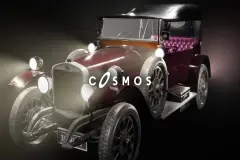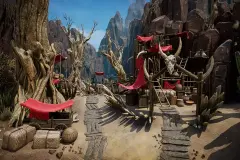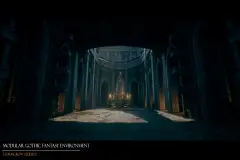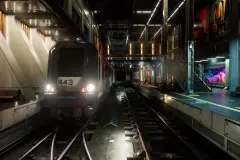






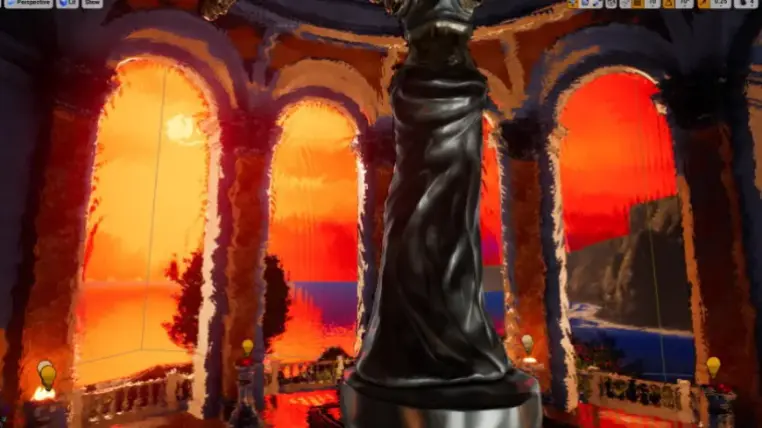
Painterly Cel Toon Outline Post Process Material
The product contains only post process materials.
Features:
Paint Stroke Distortion Effect: Select your paint stroke normal texture effect, tweak scale, intensity and get an artistically painted feel to your scene.
Paint Stroke Color Gradient: Select your paint stroke grayscale texture and use it as a base for your selected color gradient Curve Atlas to colorize your scene with a brush stroke style.
On Lighting Color Gradient: Use the shades of your scene as a grayscale base to colorize the scene with your selected color gradient Curve Atlas.
Cel shading: able to choose between 2 or 3 shade transitions with customizable dark and light colors.
Outline: normal and depth outline. Color, thickness, and distance fading are customizable.
Base Color Amount parameter: In each material instance you have this important parameter giving you the ability to apply the effect on the original scene with all its lights and shades or simply applying the effect to the base color (GBuffer) of the scene to give it a more classical cartoonish feel.
Sharpen, Darken, and tweak Saturation: with customizable intensity.
Vignette: able to choose between sharp or smooth vignette plus the ability to invert it and play with its intensity and radius.
Split Compare: split the screen to compare to the original scene.
Custom Depth: To exclude an actor from the effect, enable its 'Render CustomDepth Pass'. You can find this parameter in the Rendering section of the actor.
2 blendable locations available: Before Tonemapping and Before Translucency. The before translucency one conserves translucent effects in your scene, like water, glass, or depth of field.
Flexibility:
The post processing nature of the material makes it applicable and tweak-able for any project. Just create your postProcess volume and apply your material instance to it.
Easy and intuitive to use:
Create your material instance, tweak a few parameters, and get an infinite amount of painterly cel toon postProcess shader styles.
Intuitive parameters' names:
No technical names, a parameter name tells exactly what a parameter does.
If the name is not enough, some parameters have descriptions, just hover over your parameter.
Performance:
Base pass shader without light map: 33 instructions
Base pass vertex shader: 47 instructions
Technical Details
Features: (Please include a full, comprehensive list of the features of the product)
- Paint Stroke Distortion Effect
- Cel shading
- Paint Stroke Color Gradient
Number of Materials: 2 bases, 62 instances, 19 functions
Number of Textures: 24
Supported Development Platforms:
Windows: (Yes)
Mac: (Yes but not tested)