








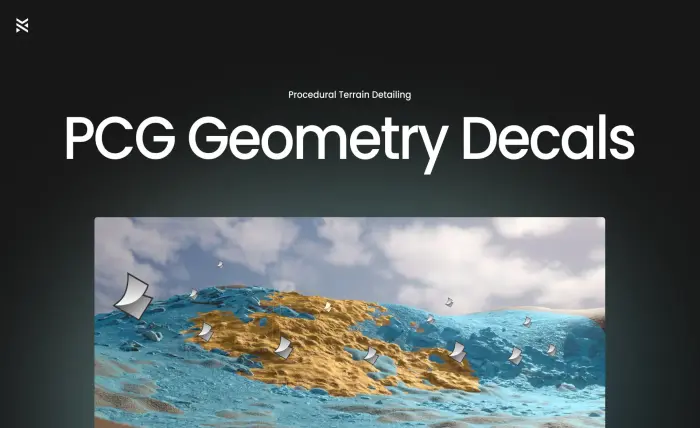
PCG Geometry Decals
Place high-fidelity geometry decals directly onto Unreal landscapes—automatically conforming, displacing, and blending into terrain with Nanite-ready results.
Perfect for photogrammetry workflows, stylized terrain detailing, and cinematic-quality environments.
Features
✅ Drag & Drop — add actors to your scene that auto-generate PCG-driven geometry on placement.
✅ Terrain-Conforming Geometry — decals snap to the underlying landscape.
✅ High-Resolution Displacement — sculpt layered surface detail using real heightmap-driven geometry.
✅ Full Artistic Control — customize material, displacement, falloff, radius, UVs, and resolution—directly from the Details panel.
✅ Nanite Baking — convert decals to optimized Nanite-ready static meshes for runtime use.
✅ Lightweight & Fast — async PCG means instant feedback and non-blocking edits.
✅ Ready-to-Use Examples — includes master material and preconfigured child blueprints for fast iteration.
Use Cases
Photoreal terrain stamping — add cliffs, soil, or gravel with full geometric depth.
Stylized environments — create layered terrain elements with clean artistic direction.
Lookdev and kitbashing — iterate terrain compositions quickly and visually.
Games and cinematics — add micro-terrain variation without touching the landscape material.
Quickstart
Make sure to go to Edit->Plugins and enable:
GeometryScripting
PCG
PCGGeometryScriptInterop
ModelingToolsEditorMode
Restart your project
Drag a BP_GeometryDecal_* actor from /Game/PCGGeometryDecals/Demo/Examples/ into your level (these are ready-made variants with materials and textures preassigned) -or- Subclass BP_GeometryDecal and assign your own material + height texture.
Adjust radius, height intensity, falloff, UV tiling, resolution, etc.
Select one or more decals and right-click → Scripted Actor Actions → Bake to Static Meshes.
Enable Nanite on the resulting mesh if needed in the popup window settings.
Additional information
Features
Procedural decal placement
Editor‑time terrain-conforming geometry
Heightmap-driven displacement with accurate normals
Async PCG workflows for instant feedback
Nanite baking to optimize runtime meshes
Full customization through master and child blueprint system
Blueprints Included
BP_GeometryDecal (abstract base actor)
Example Decals: 7
PCG graph assets: 7
Editor Utility: 1 (for bake-to-mesh actor right-click functionality)
Materials & Textures
Master Materials:
M_GeometryDecal_Master
M_GeometryDecal_Basic, M_GeometryDecal_Height
Instance Materials matching each example decal
ARM/BC/D/N textures for each decal (4 maps per decal type)
Utility Textures: 2
Sample Map & HLOD Layer
Demo Map: PCGGeometryDecals_Demo
Blueprint vs. C++
Entirely Blueprint-driven: no custom C++ classes (all geometry logic via PCG and dynamic mesh actors)
Dependencies
Unreal Engine 5.5+ (requires PCG and Nanite support)
Plugins to enable: ModelingToolsEditorMode, GeometryScripting, PCGGeometryScriptInterop, PCG