
















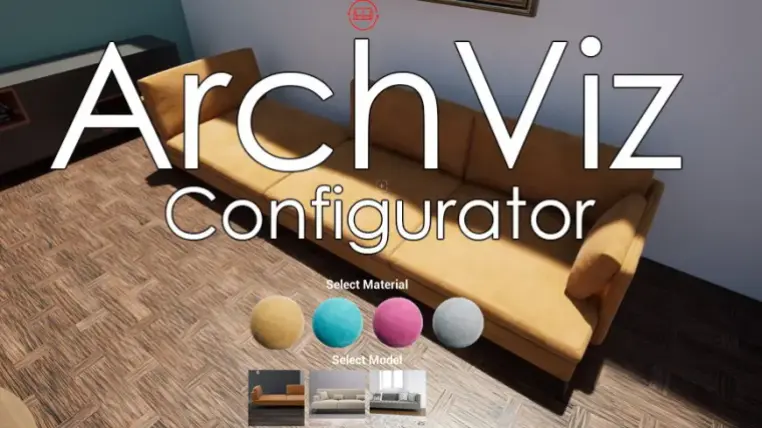
ArchViz Configurator
ArchViz Configurator will Help you bring your photorealistic Architectural Unreal engine 5 scene to life by creating an Interactive walkthrough and configurator without the use of any code or blueprint.
Including interactions such as
Change Furniture from list (Not exclusive to furniture, you could even change walls and ceilings)
Change Materials from list (Of anything in the scene)
Switching lights on\off
Open\close doors of any kind
Switch Tv's and media devices on and off
Switch Affects such as fire and water on and off
Pick up objects and move them
Play music objects such as record players
Switch Between Times of day and move the sun location
And MUCH more (See documentation or video Tutorial for a full list of features).
This Tool also includes a robust and intuitive User Menu that includes
Save\Load system to save multiple configurations of a scene for multiple clients
Switch between Levels ,if you have more then one Level in your project, by clicking on an image in the User menu
Settings Menu to set up the graphics fidelity and resolution to work well on different systems
Play a Level Sequence or Master Sequence from the user menu
Also Included is a robust and intuitive Camera Mode with Many Settings to take Great Images in any resolution (From HD to 8K) and save for any use.
Technical Details
Key Features:
- Fully no code no blueprints solution to creating Architectural walkthrough with interactions
- very simple to set up
- one actor for all interaction types
- A pickup objects System
- Camera Mode
- Simple yet robust User Menu
- Save\Load system
- Settings Menu
- Time of Day and Sun position menu
- Level Switching Menu
- Includes a demo Level with Examples for all interaction Types
Blueprints: 10
Widget Blueprints: 9
Meshes: 22
Materials and Material Functions: 25
Material Instances: 31
Textures: 128
Fonts: 1
SFX: 10
VFX: 0
Input: Mouse, Keyboard