











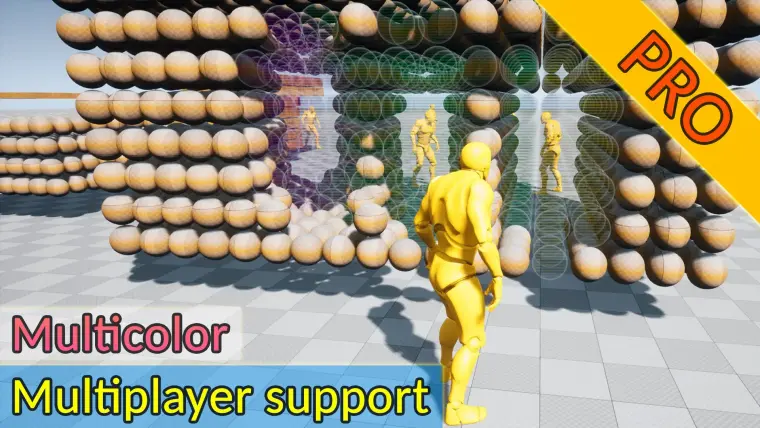
Advanced Fade Objects PRO - Multicolor
Advanced Fade Objects PRO automatically makes objects transparent between the camera and the player using a single component.
Advanced Fade Objects PRO automatically makes objects transparent between the camera and the player using a single component. It works with meshes of any complexity and any number of materials, supporting unique fade colors per object. All transitions are handled in C++ for maximum performance, without the need to manually modify materials.
👑Key Features:
Automatic Transparency
• Objects between camera and character fade smoothly.
• Configurable fade rate for full control.Flexible Material Support
• Works with any number of materials and IDs.
• Supports both Material Instances and base Materials (shadows remain if opacity >0.3).
• Unique fade colors per object or actor.Tag & Mode System
• Use tags to differentiate which objects should fade.
• Two operation modes: Inclusion and Exclusion.Runtime Control
• Enable, disable, or pause fading at runtime.
• Offset by vector or height: define which parts of the actor fade.Performance & Compatibility
• All logic written in C++ for high FPS.
• Supports both single-player and multiplayer.
• Requires only one component for camera or character.
📌About Our Plugins:
7+ years of proven experience in Unreal Engine development.
Regular updates and continuous improvements.
Featured multiple times in Epic Games ShowCase.
Free Discord support and active community.
Many features implemented from developer feedback.
📃Note: The plugin’s price may increase as new features are added.
Technical Details
Features:
- Support for any number of colors for any number of objects
- Only one component for character or camera
- Different colors for each of the objects in the actor
- Written in C++ for better performance
Code Modules:
- AdvancedFadeObjectsPROComponent (Type: Runtime)
Number of Blueprints: 1
Number of C++ Classes: 1
Network Replicated: Yes
Supported Development Platforms: Win64, Android, Mac, IOS, Linux
Supported Target Build Platforms: Win64, Android, Mac, IOS, Linux
Documentation: https://docs.google.com/document/d/1l7jqRUPlFhTTIEnofmoOI2LbEmmRRzFypKd4i2dEswQ/edit?tab=t.0
Example Project: Included